Productivity · iOS 26.0+ · macOS 26.0+
In development
NerveDay
What's ahead today – and what will you actually get done?
One look in the morning: meetings, tasks, birthdays and the free time in between. NerveDay builds on Apple Calendar and Reminders and adds notes, smart search and GTD planning. On iPhone, iPad and Mac. Your data stays in Apple's apps and your iCloud – no account, no servers of ours.
The app is still in development and waiting to be published on the App Store. You can't download it yet — we'll add the link here as soon as it's out.
In a few minutes
How you plan your day
Allow Calendar, Reminders and Contacts
NerveDay reads and writes only through the system. Whatever you save stays in Apple's apps, even without NerveDay.
Open Today in the morning
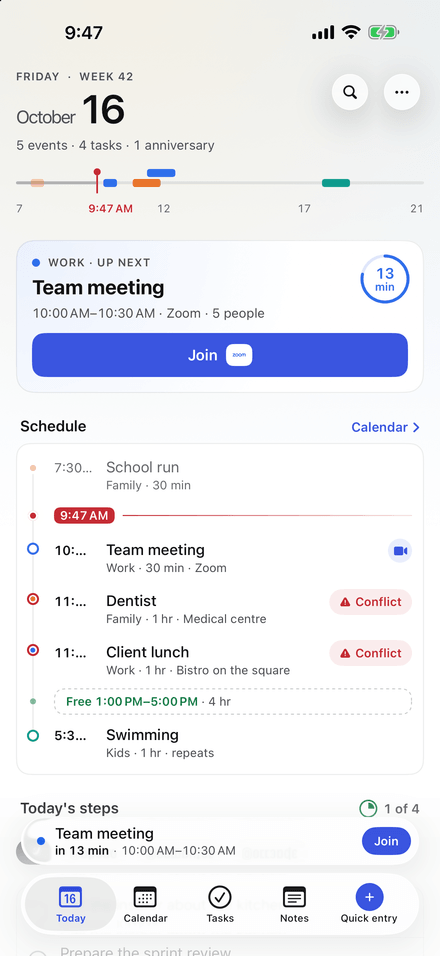
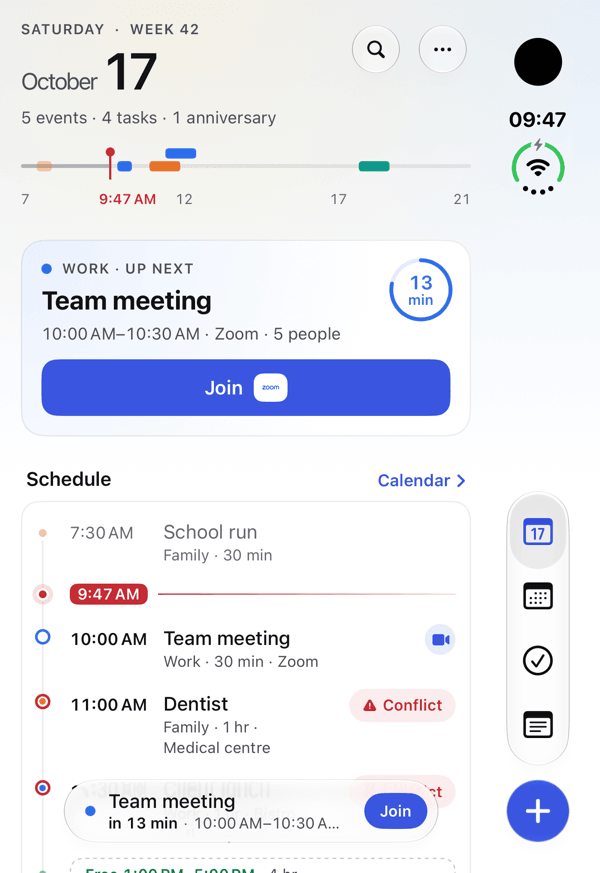
Your schedule with a countdown to the next event, today's steps, whose birthday it is and what tomorrow brings.
Write the way you speak
“dentist tomorrow at 10”, “call @Peter about the kitchen #home”. NerveDay tells an event from a task or a note and shows what it understood.
Look back in the evening
What got done, what moves to tomorrow, and a weekly review of your projects.
Screenshots
Your whole day at a glance
Features
What it does – from your morning overview to notes
Morning overview
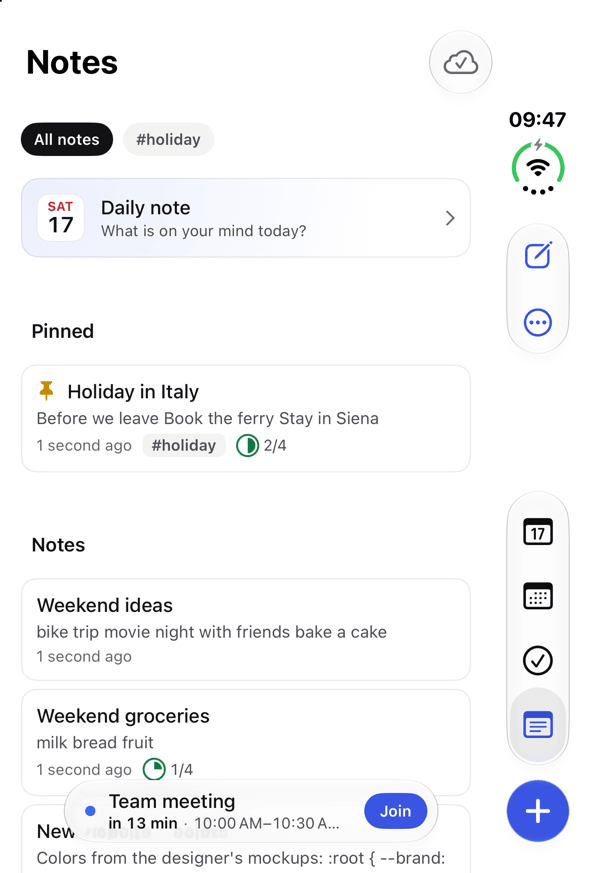
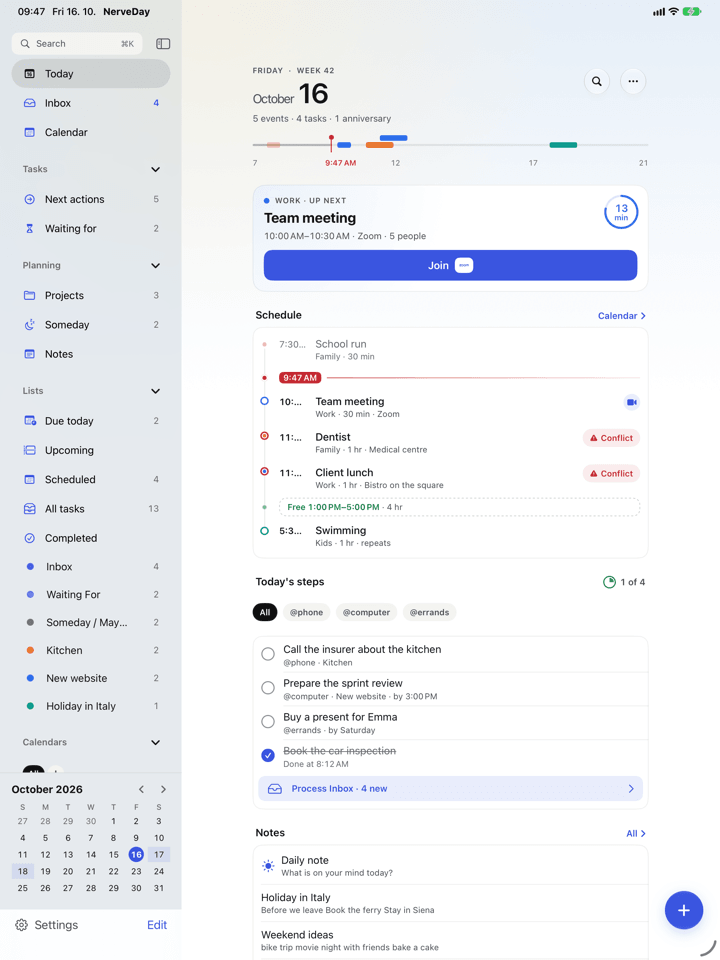
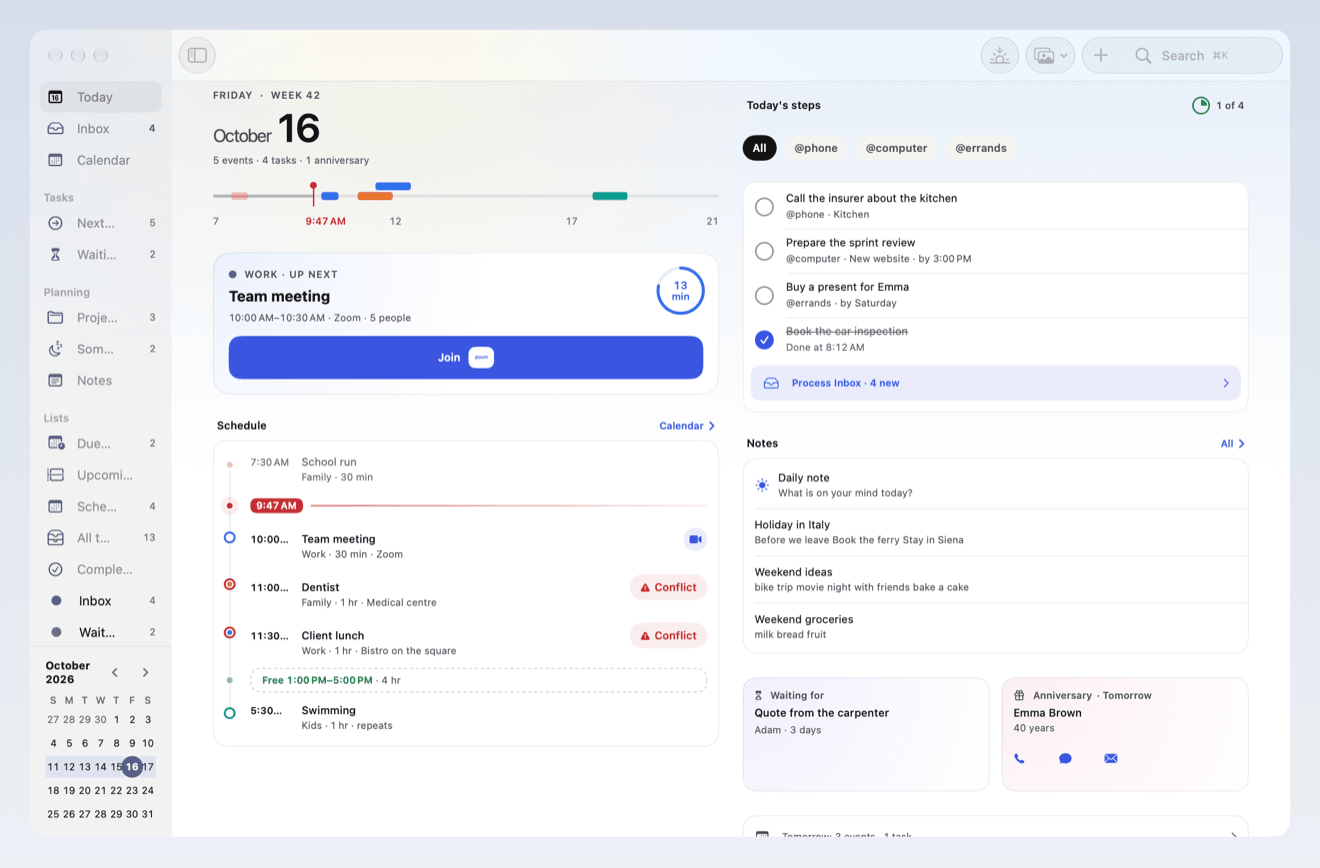
The date, the day's progress, the next event with a countdown, your schedule with free time and conflicts, today's steps, anniversaries and tomorrow. Your own wallpaper matches the color scheme.
A calendar with every view
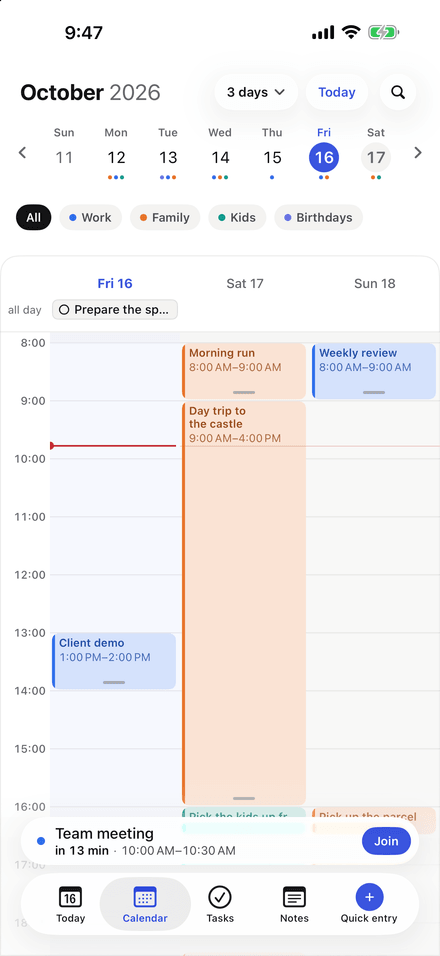
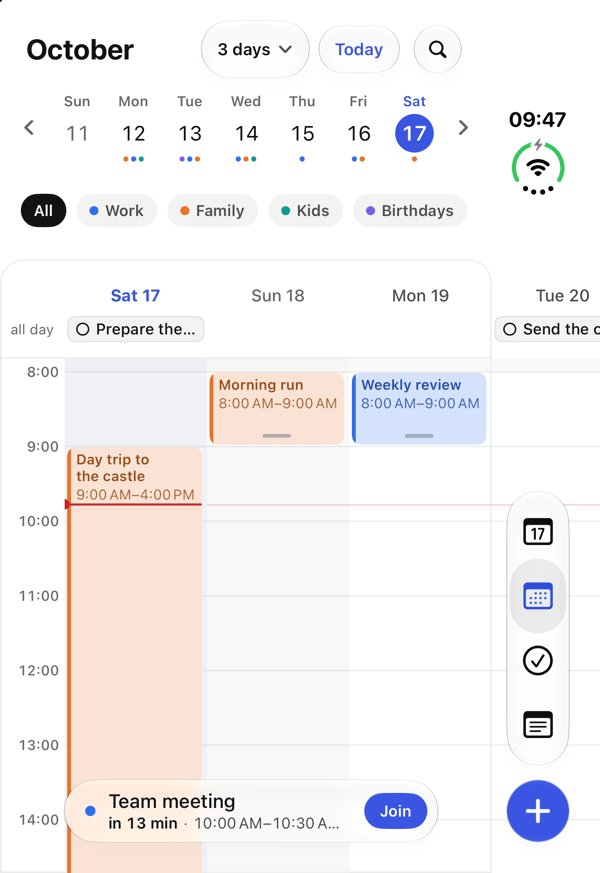
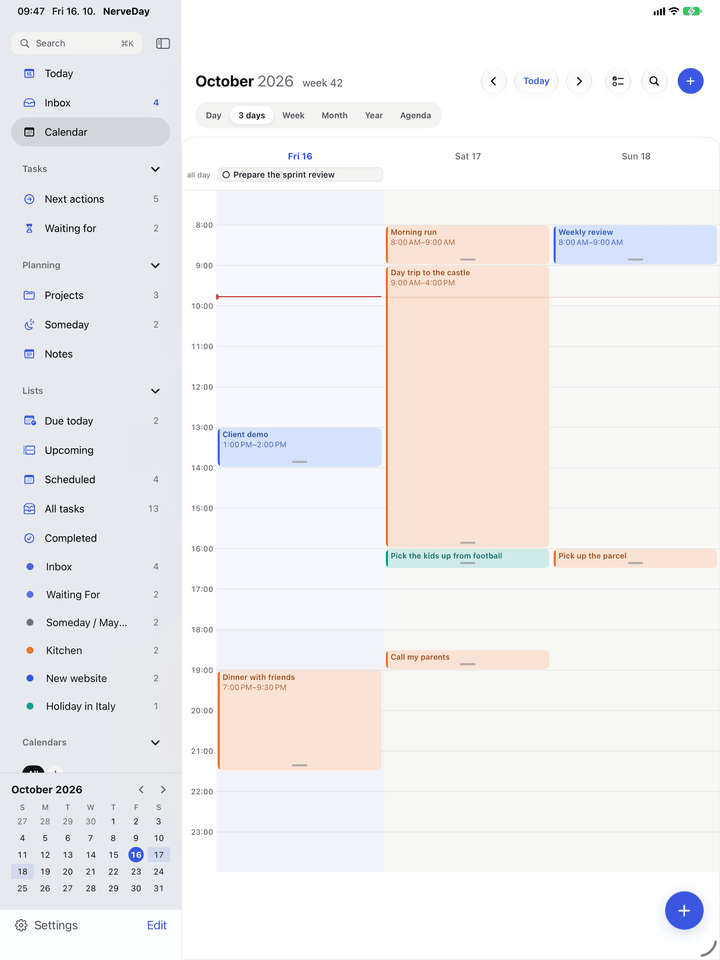
Day, 3 days, week, month, year and agenda. Drag to create, move or stretch events. Set the first day of the week, working hours, weekends and week numbers.
Tasks the GTD way
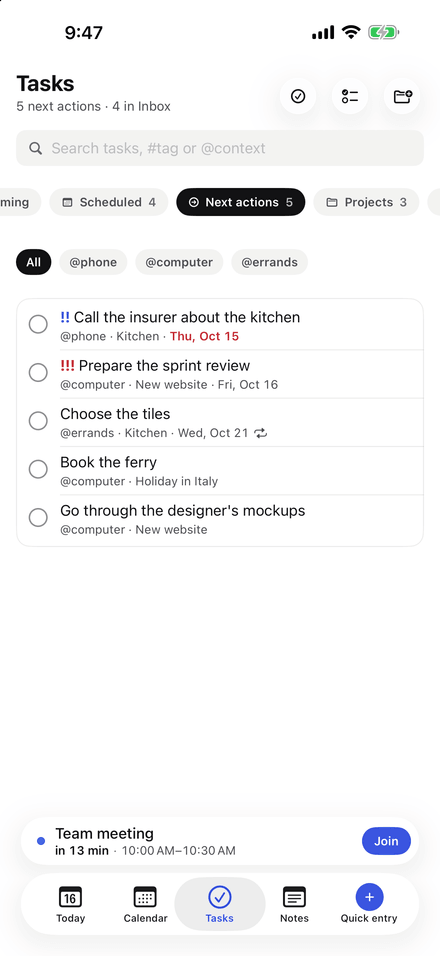
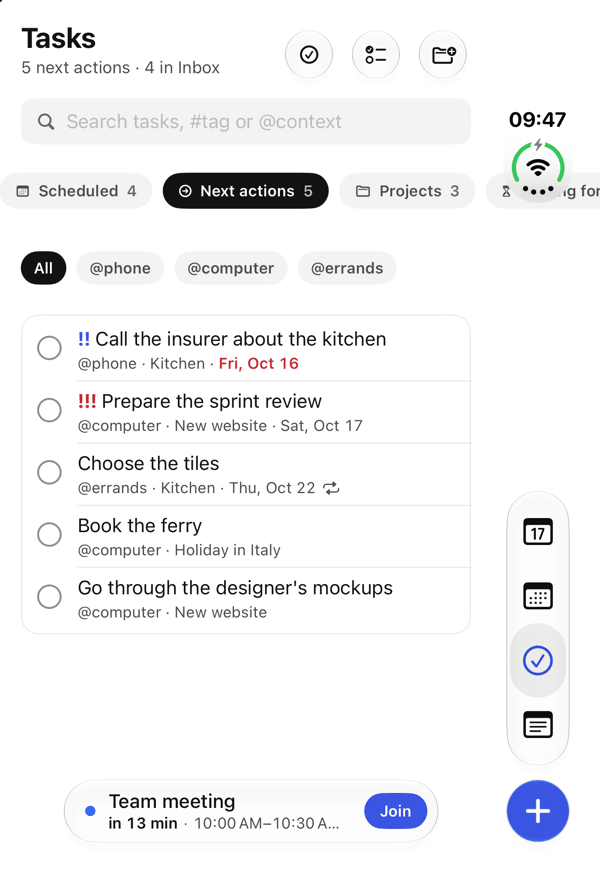
Inbox, Next actions by context, Projects, Waiting for, Someday, Upcoming and This evening. Everything is an Apple reminder, so Reminders shows it too.
A project on one page
A project's tasks, notes and events together, edited right there.
Notes that calculate
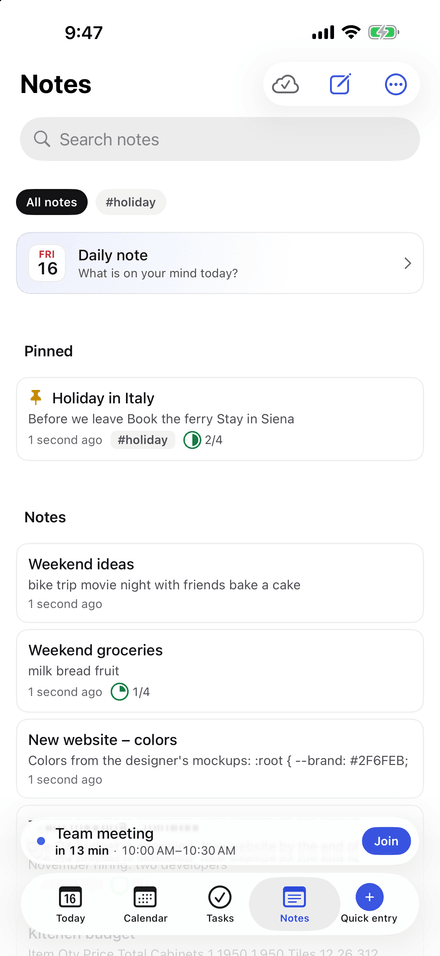
A block editor with headings, lists, checklists and tables with formulas (=SUM, =AVERAGE, IF…). Code with language detection, templates, links between notes, versions and trash.
Attachments and e-mails
Drop an e-mail from Mail, a PDF, a photo or a file into a note. Scan documents and draw.
People from Contacts
Birthdays from Contacts on Today. Write @Jana in a task and call her with one tap.
Search that copes
One search for events, tasks, notes and people: parts of words, typos, #tags, @contexts, “exact phrases”.
Widgets and Live Activity
Date, Next event, Today's steps you tick off on the widget, and Day; the current meeting in the Dynamic Island and on the Lock Screen.
Alerts under control
Choose which calendars and lists alert you, quiet hours, a morning summary and birthdays the day before.
Shortcuts and Siri
Add entry, Day summary, Next event, Today's steps, new note and more actions for Shortcuts.
A true Mac app
Real windows, menus and keyboard shortcuts for every action, the ⌘K palette, meetings in the menu bar.
Face ID and Touch ID lock
Lock the whole app or single notes.
Switch from other apps
Import from Todoist, Things and Apple Notes.
No account, no servers of ours
No sign-up. Events and tasks stay in Calendar and Reminders, notes in your iCloud, which we cannot see.
Language and holidays
Made for Czech – and for you
Quick entry understands Czech and English (“the day after tomorrow afternoon”, “every Tuesday”); Today shows public holidays of Czechia, the United Kingdom or the United States, with Czech name days. The app speaks Czech and English.
How it works – a short guideNo surprises
Versions and prices
| Feature | Free | Plus |
|---|---|---|
| All day, calendar, task and note features | Yes | Yes |
| Data in Apple's apps and your iCloud | Yes | Yes |
| Ads | banner (AdMob, non-personalized, iPhone and iPad only, never on Today) | none |
| Meeting links (Zoom, Teams, Meet, Webex, FaceTime) | No | Yes |
| Meetings in the Mac menu bar | No | Yes |
| Note sharing through iCloud | No | Yes |
| Your own color schemes | No | Yes |
| Mail extension on the Mac | No | Yes |
| Payment | — | subscription or one-time |
| Price | — | CZK 49 monthly, 399 yearly, 990 lifetime |
| Trial | — | none |
The Plus subscription renews automatically until you cancel it at least 24 hours before the end of the period; you can manage and cancel it in your App Store account settings. Plus is also available as a one-time purchase with no renewal. Prices are shown by the App Store in your currency.
Links
Legal documents for the app and how to reach support.