
Home & car · iOS 26.0+
Central Brain
What do your car and home really cost?
Inspections, insurance, mortgage, subscriptions and receipts with their warranties in one place — with smart reminders, QR payments and on-device AI. Your data stays on your device, with no account and no servers of ours.
In a few minutes
How you keep your car and home in check
Add what you look after
A car, an apartment or a house, tire sets, recurring payments. Scan your documents and receipts — the app reads the VIN, the plate and the tire size off a document, and the shop, date and amount off a receipt.
The app watches the dates
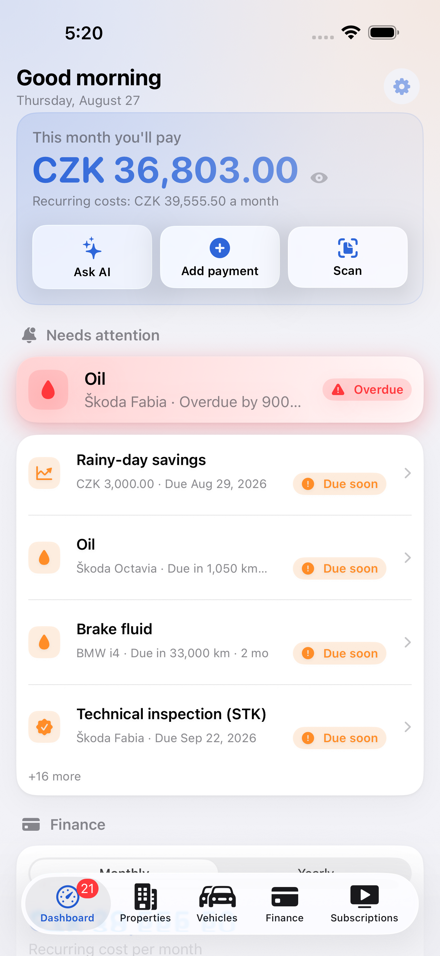
Service intervals, the technical inspection (STK), chimney, boiler and electrical inspections, payment due dates. Reminders are scheduled on the device itself.
Ask the assistant
“When did I last have the inspection done?” The assistant runs on Apple's on-device models — neither your questions nor its answers ever leave the phone.
With Premium, on every device
Your data syncs through your own private iCloud and you can share it with your family. Without Premium everything stays local, with a backup export available anytime.
Screenshots
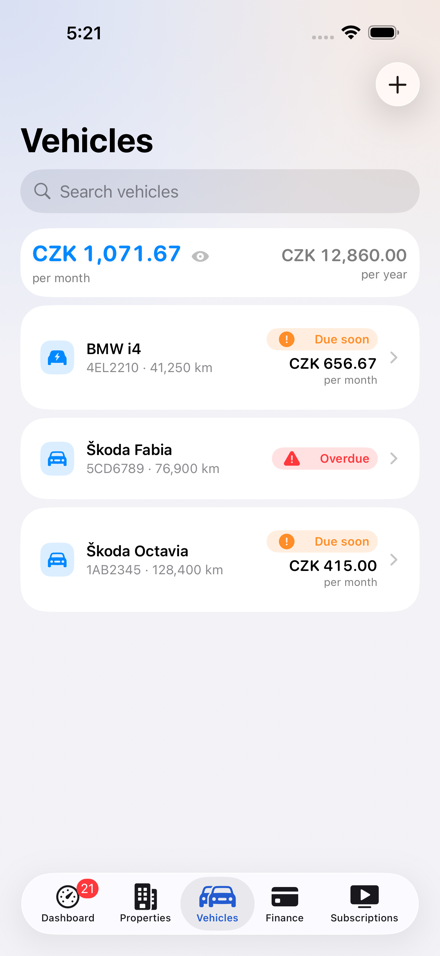
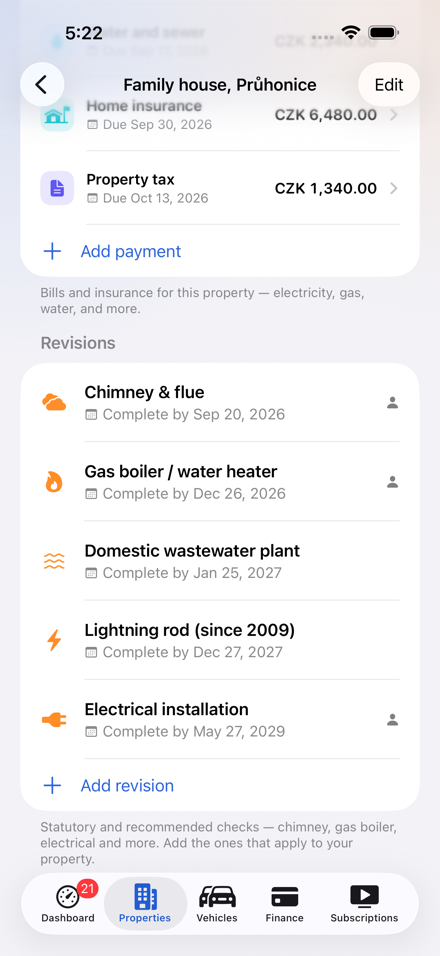
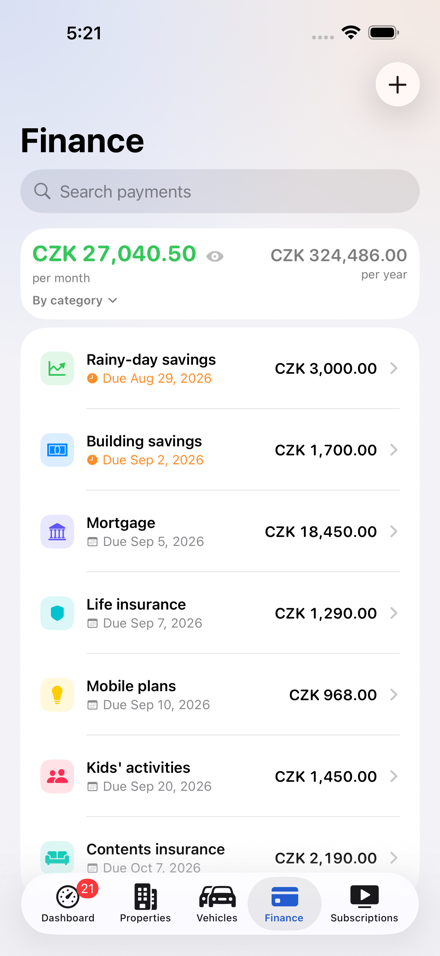
Service, insurance and the household budget at a glance
Features
What the app does — from inspections to subscriptions
Cars and EVs
Service intervals including EV plans. The technical inspection (STK), motorway vignette, tires, fuel logs and an odometer with a smart mileage estimate. Scan a document and the camera reads the VIN, the license plate and the tire size off it.
Payments on cars
Liability insurance, collision cover, road tax and a lease belong to the car. Every vehicle has its own payment overview with QR payment and reminders — and the costs feed into the price per kilometer.
House and apartment
Statutory chimney, boiler and electrical inspections with reminders, contacts and scanned certificates.
Czech QR payments
Payments in the SPAYD format, cost overview in CZK, EUR and USD, and price history.
Attachments on payments
Add the contract, policy or invoice straight to the payment: scan it, snap a photo, or pick a file. The attachment syncs through iCloud and travels with your backup.
Payments as they really happened
A recurring payment is counted from the day you started paying it — you'll find the date as “Paying since” when you edit a payment. Past months are counted at the price that applied back then, not today's.
Payment history and refunds
Marking a payment paid creates a record with the date and the amount, and you can correct both to match what really happened. A refund — an overpayment returned after an energy statement, say — is logged on the same payment, and there is room for a note.
Subscriptions in check
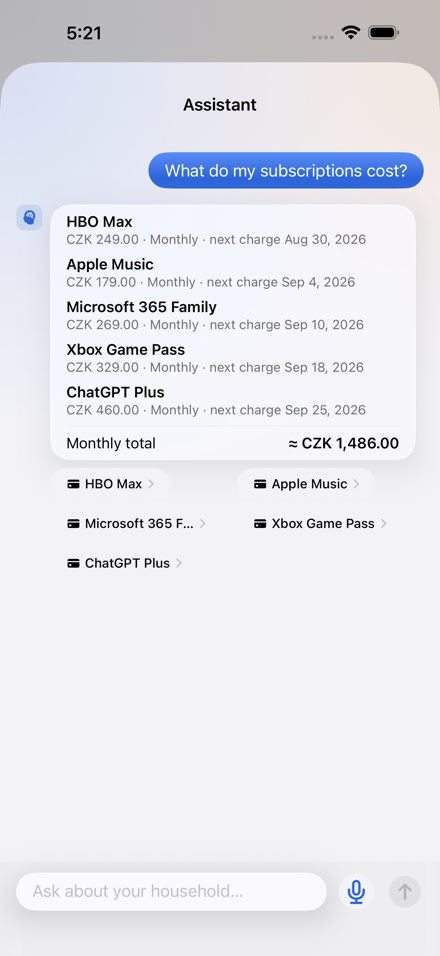
Renewal dates and costs in one place, with icons for the most common services.
Receipts and warranties
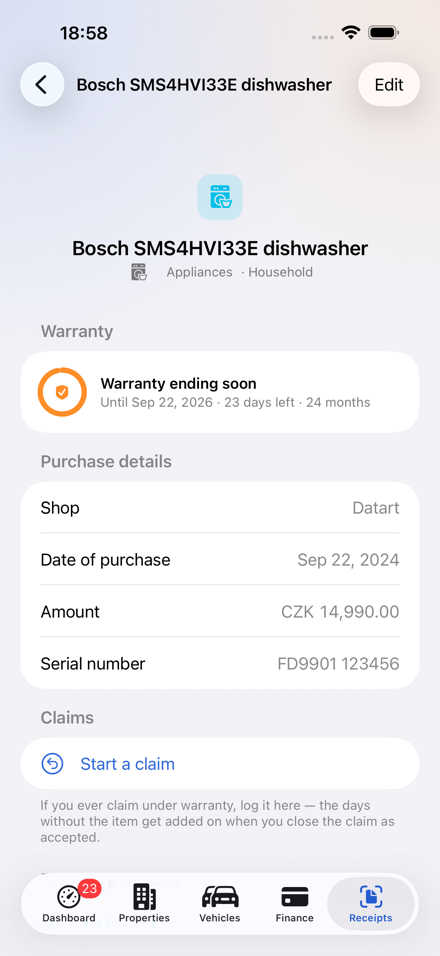
Photograph a receipt and the shop, date and amount are filled in by text recognition running on the phone. Add a photo of the thing itself — two years later you know it by sight long before you remember the model.
The warranty end date
The app starts at 24 months: in Czechia that is the period in which a consumer may report a defect (§ 2165 of the Civil Code), and twelve can be agreed for an item sold as used (§ 2168). It is only a default — switch the length, or set the end date by hand.
Days in a claim are counted
Log a claim from the receipt's detail, or straight from the reminder. While the item is with the seller the days add up, and they are added to the end date according to how you close the claim. After a replacement the app counts the warranty again from the date of the exchange.
Search that remembers
It takes several words at once — “Decathlon shoes 2026” lands on a single item. Categories know their own synonyms, so “shoes” finds football boots and sandals too. The assistant answers the same way.
Payment calendar
The whole year month by month with the current one marked, so the big bill is visible before it arrives. Tap a month to open exactly what it holds — house, cars, finance and subscriptions together.
Monthly totals everywhere
Cars, properties, finance and subscriptions all show what they cost, broken down by category. In Settings you choose whether yearly and half-yearly bills are spread evenly across the months, or you see only what genuinely falls due in each one.
Hide amounts
Showing someone your phone? Tap the eye next to the amount — they all disappear while names and dates stay readable. Turning the phone face down works too.
Due dates in Calendar and Reminders
Send a payment's due date or a home inspection date to Calendar as an all-day event with an alert a week ahead at 9:00 a.m., or to Reminders — into the list you pick in Settings.
Shortcuts and Siri
What's due, Upcoming payments, Log a fill-up, Update odometer and Add a payment — five actions for the Shortcuts app and Siri. The ones that write data or report amounts need an unlocked device.
On-device AI assistant
Runs on Apple Intelligence right on your device. Your questions never leave the phone.
No account, no servers
No sign-up and no servers of ours. Data lives on your device; with Premium it syncs through your own iCloud, which we cannot see into.
Family sharing
With Premium you share household data through iCloud and can change anyone's role at any time.
Deadlines and intervals
Built for Czechia — but nothing is fixed
The defaults follow Czech rules: 24 months for a consumer to report a defect (§ 2165 of the Civil Code), with the period suspended for as long as a legitimate claim leaves the item unusable; a chimney every year, wiring every five, a lightning rod and a domestic sewage plant on the local schedule.
They are only starting values — every date and every interval can be changed in the app. If your seller gave you a longer warranty, or your inspection runs on a different cycle, the app follows.
Central Brain keeps a record and calculates deadlines as a convenience; it is not legal advice. Check what follows from a deadline with your seller or a professional.
How it works — a short guideNo surprises
Versions and pricing
| Feature | Free | Premium |
|---|---|---|
| All app features | Yes | Yes |
| Data on your device | Yes | Yes |
| Backup export | Yes | Yes |
| Ads and tracking | Banner (AdMob) | none |
| iCloud sync | No | Yes |
| Family sharing | No | Yes |
| Payment type | — | subscription or one-time |
| Subscription length | — | monthly or yearly |
| One-time purchase | — | lifetime, never renews |
| Free trial | — | 1 week on both subscriptions |
The Premium subscription renews automatically until you cancel it at least 24 hours before the end of the period; you can manage and cancel it in your App Store account settings. Premium is also available as a one-time purchase with no renewal. Prices are shown by the App Store in your currency.
Links
Legal documents for the app and how to reach support.